Add @stat_history_bot to your group
The bot will start counting new messages. Group members can view analytics after signing in with Telegram.
History Bot tracks messages, words, voice messages, video notes, and profanity in Telegram groups. Add the hosted bot or deploy your own on Cloudflare.
Self-hosting needs a Cloudflare account and a bot token from @BotFather. The database is created automatically.
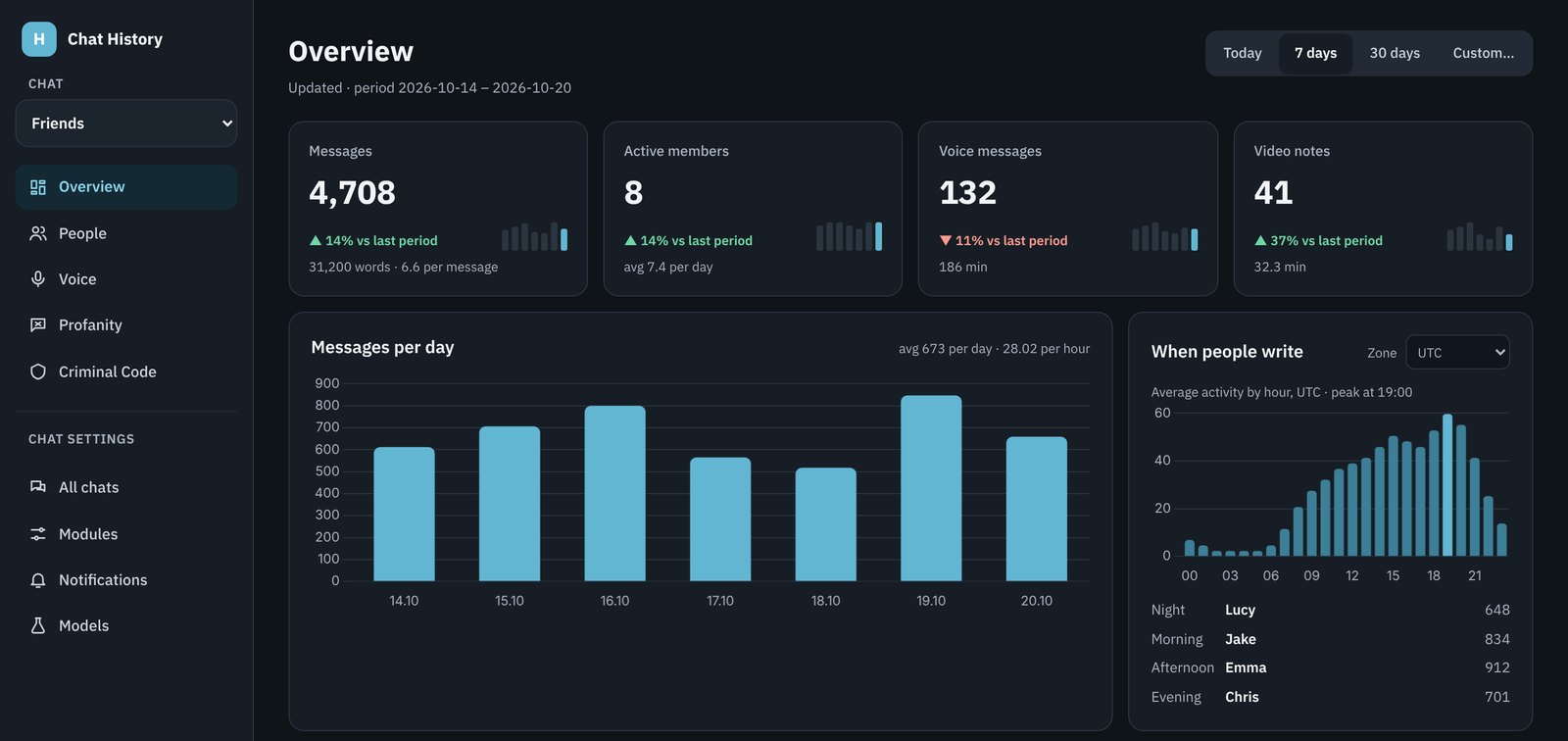
Add the hosted bot to your group, or run your own instance using the source code on GitHub.
The bot will start counting new messages. Group members can view analytics after signing in with Telegram.
The button copies the project to your GitHub and deploys it to your Cloudflare account. Storage and the database are created automatically; all you need is a bot token.
Click Deploy to Cloudflare, sign in, and paste your @BotFather token into the TOKEN field.
Open your Worker's URL, sign in with the same token, and choose a storage mode.
Click “Get started webhook” and add the bot to your group. To let it see all messages, turn off privacy with /setprivacy in @BotFather.
Counters and charts update as new group messages arrive.
Track messages and words per member, with voice messages and video notes counted separately.
Daily and hourly charts, plus an activity heatmap for every member.
See the most common swear words and each member's profanity rate.
Need activity analytics rather than a full Telegram group moderation suite?
History Bot focuses on message statistics, active member rankings, activity heatmaps, word counts, voice and video notes, and optional AI summaries. Combot offers wider moderation, anti-spam and automation tools.
Compare History Bot with Combot →Actual interface screenshots with synthetic names and numbers.
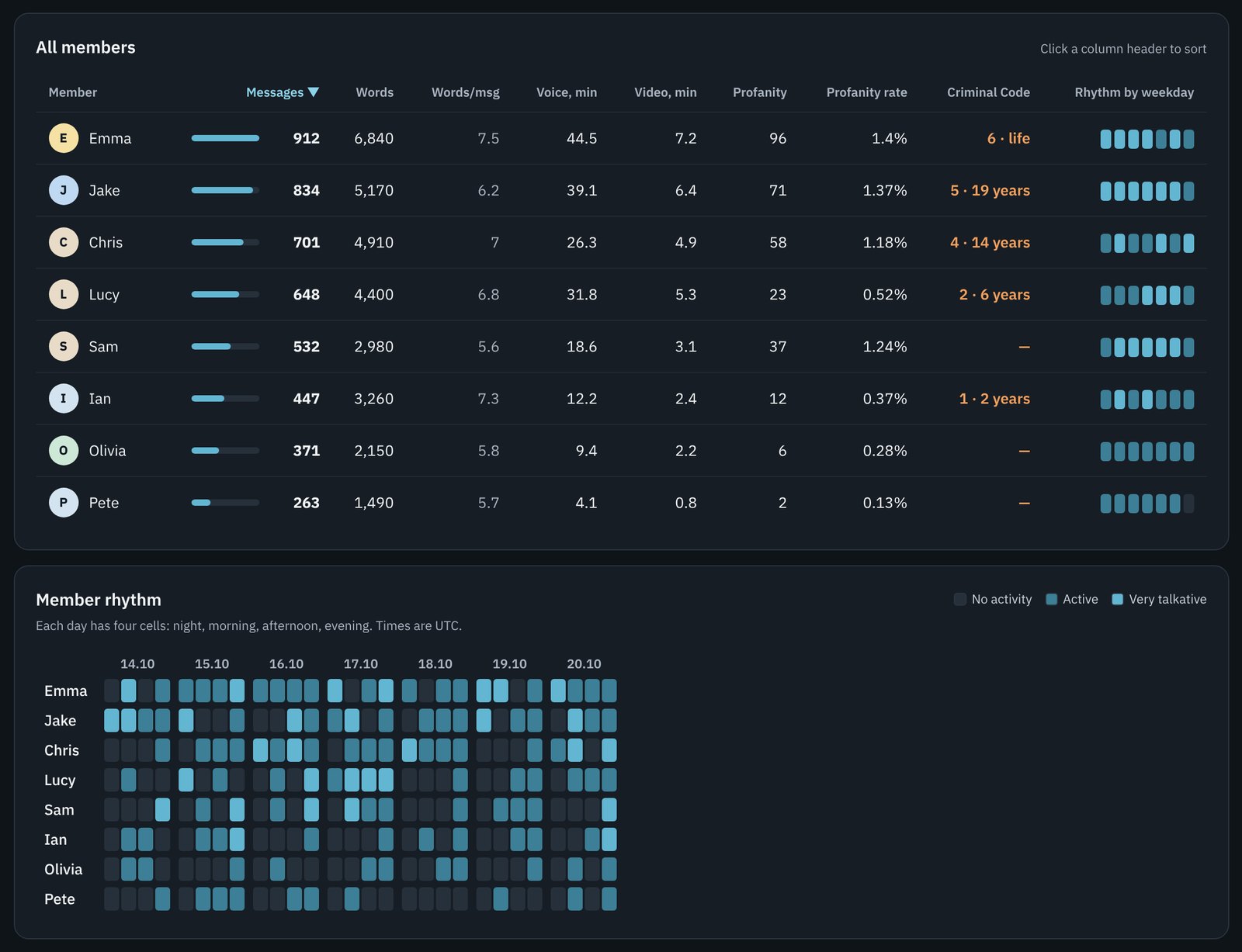
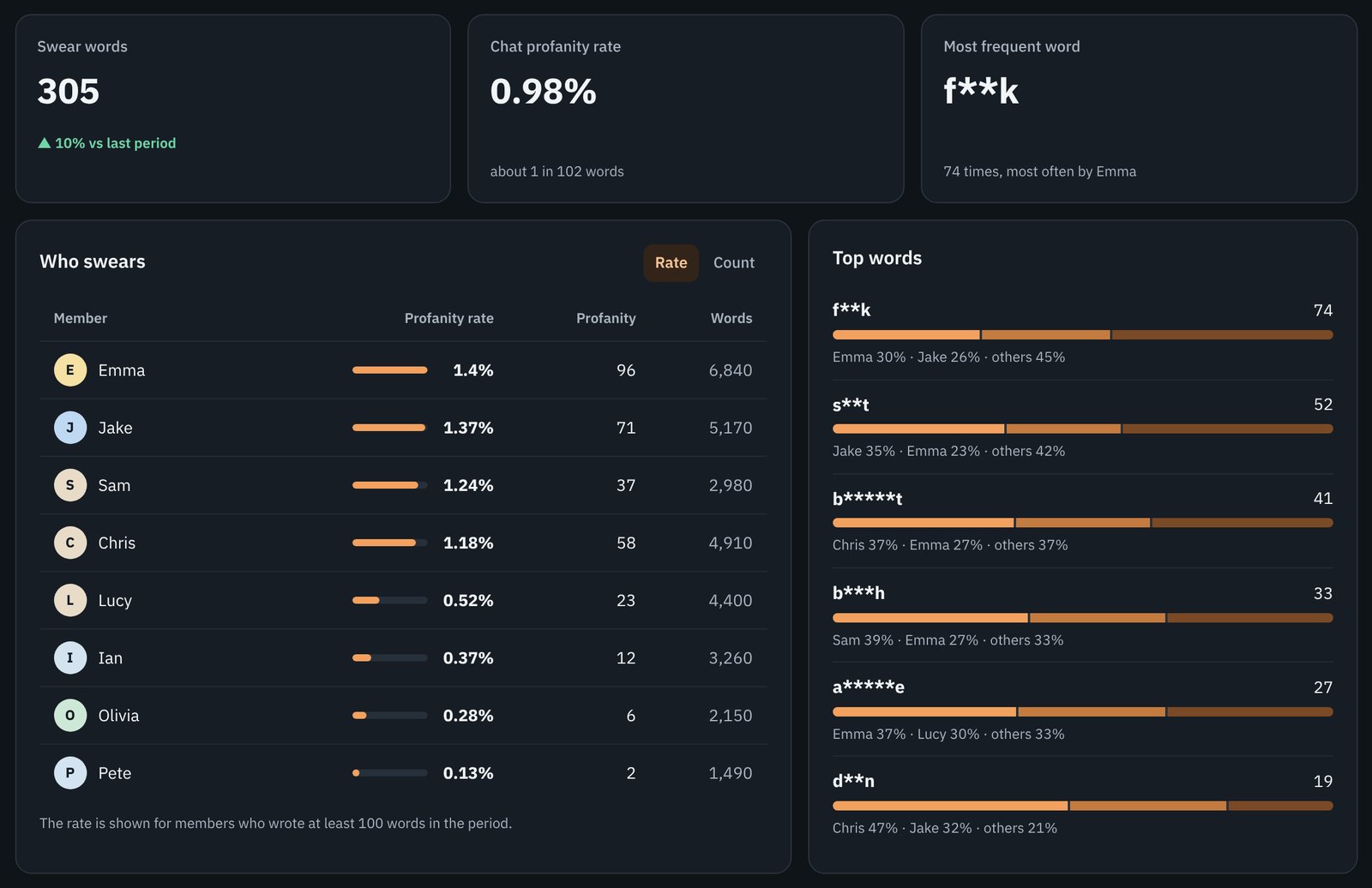
Screenshots use fictional data. You can only view statistics for groups you belong to that have the bot installed.
Sign in with Telegram to view analytics. If the bot is not in your group yet, add @stat_history_bot.